Getting Started
Learn how to install and start using MMO Skill Tree
Premium Add-ons
One-time purchases, never expire. The base mod is 100% free.
Installation
- Download the
.jarfile from CurseForge - Place in your server's
mods/folder - Start the server - configs are auto-generated in
mods/mmoskilltree/ - Start playing!
Your First Steps
Once installed, simply play the game! You'll gain XP automatically by:
- Mining blocks (ores, stone, gems)
- Chopping trees
- Digging soil, sand, and dirt
- Harvesting plants and crops
- Crafting items
- Building structures
- Fighting enemies with various weapons
Essential Commands
You only need one command:
| Command | Description |
|---|---|
/xp | Open the main UI — skills, rewards, quests, boosts, leaderboard, and settings |
/xpdisplay 10 | Only show XP gains ≥ 10 |
Understanding the UI
Skill Overview (/xp)
The main hub for all your skill progression. Use /xp to open it.
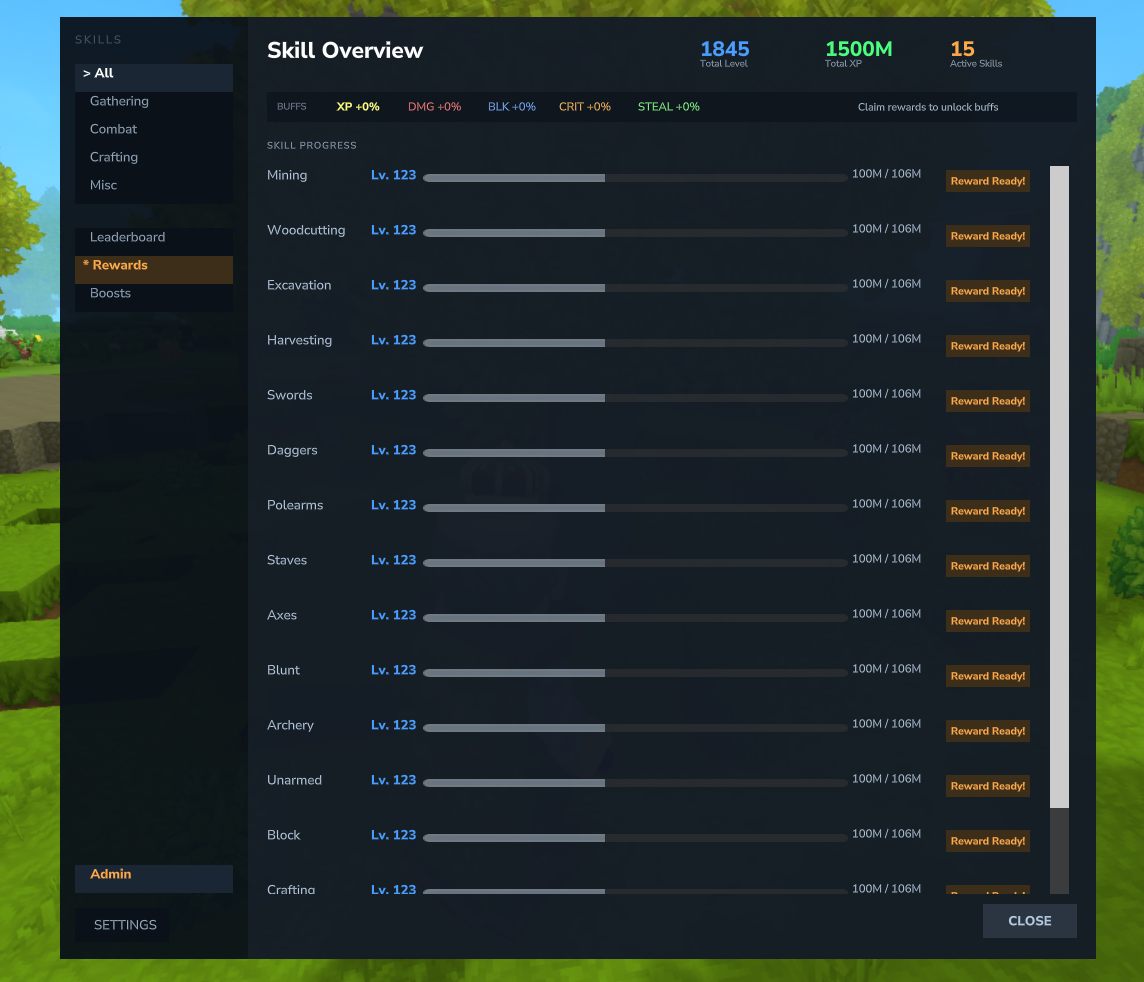
- Skill Cards - Each skill displays as a card showing name, level, progress bar, color-coded buff labels, tier progress, and next reward hint
- Total Level Card - A special summary card showing your combined level, total XP, and aggregate buffs
- Category Color Coding - Cards have colored accents: green for Gathering, red for Combat, orange for Crafting, purple for Misc
- Quick-Action Buttons - Each card has buttons to open the Skill Tree, Rewards, and Boost pages directly
- Buff Bar - See all active combat bonuses at the top (Damage, Block, Crit, Lifesteal)
- Filter by category: Gathering, Combat, Crafting, Misc
- Access Settings, Leaderboard, Rewards, Boosts, Quests, and Achievements tabs from the sidebar
- Side panel shows your tracked quests (up to 5) and active boosts alongside the skill cards
Skill Tree Page
Access the skill tree by clicking the "Skill Tree" button on any skill card in the /xp overview.
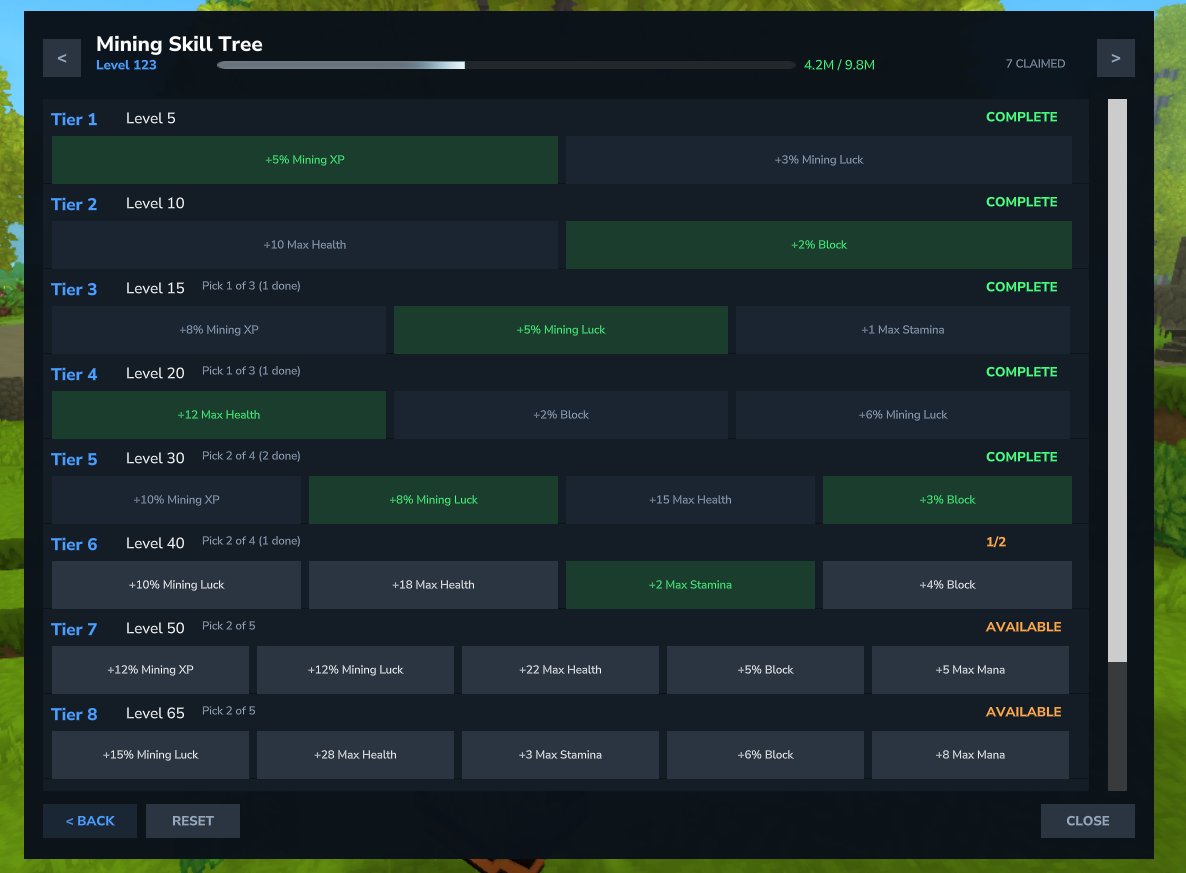
- Navigate between skills with arrow buttons
- See tier status: LOCKED, AVAILABLE, CLAIMED
- Claim rewards by clicking on available choices
- Reset button to respec your choices
Next Steps
- Learn about all 20 skills and how to level them
- Explore the skill tree rewards and active abilities
- Deepen your build with mastery and currencies
- Claim item rewards at level milestones
- Chase achievements and watch for elite mobs
- Customize content with content packs, or check the full command reference